
CSharp Merge Excel
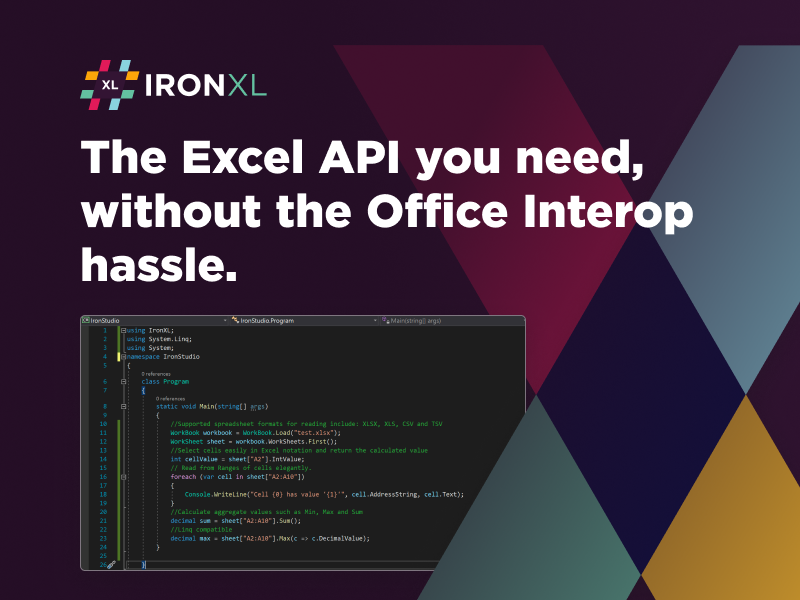
CSharp Merge Excel makes development easy by introducing unique database features into any of your projects. Instead of having to rely on bulky or expensive third-party applications like MS Office or Excel Interop, you get a simplified solution. IronSoftware does a great job of removing the bloatware that comes with additional software and allows your project to edit, create, manipulate, and so much more with Excel files. With CSharp Merge Excel, you still get all the same well-known formatting needs met that you would expect when working inside Excel. This includes change the style of cells, data, text, currencies, formulas, times, and even sorting information between rows and columns. You will be easily able to merge different rows and columns using only a few simple pieces of integrated code that can be passed on to your end users. The big benefit to CSharp Merge Excel is the output of files. With exporting features in formats like XLS, XLSX, CSV, TSV, JSON, and more, your final project will be universally transferable. So many companies need software that can be used by international team members and quickly disseminated amongst shareholders that may not have the same readable software. That means a team working in one part of the world can output files that can be easily read by a different group across the globe. This is an easy to use application for outputting readable files across most software. IronSoftware offers a ton of bespoke support features so you get all your questions and concerns answered without needing to dig deep into the internet. That includes documentation like what is available at https://ironsoftware.com/csharp/excel/docs/questions/csharp-excel-merge-cells that specifically addresses merging cells in Excel. To get started, visit https://ironsoftware.com/csharp/excel/ for a free 30-day trial of CSharp Merge Excel so you can determine how it works with your particular project before committing too many financial resources.
 Business Directory Theme (New 2022) - Download Now!Sponsored



Creation and Management of AWS VPC and Subnets with IPv6 Support
Create and configure AWS VPCs and subnets with full IPv6 support for modern, scalable, and future-ready networking.
Cost optimization by replacing IPv4 with IPv6 and configuring DNS for it
Plan and configure IPv6 addressing and DNS so you can reduce IPv4 usage and related costs.
AWS Aurora DB configurations
Set up or tune Amazon Aurora for high performance and high availability workloads.
Help/Fix on AWS Kubernetes Service(EKS) (1 Hour)
One hour of help or fixes for Kubernetes clusters running on AWS EKS.