





Minifier for Magento 2
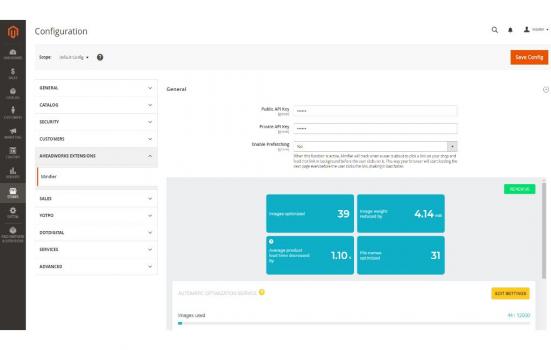
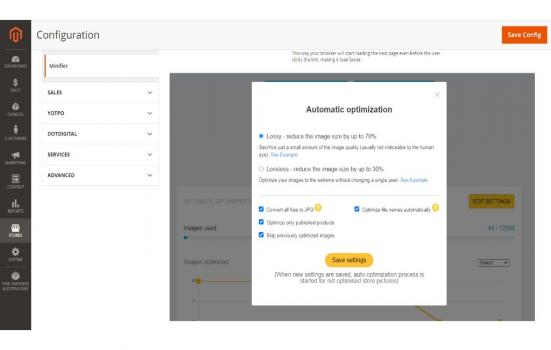
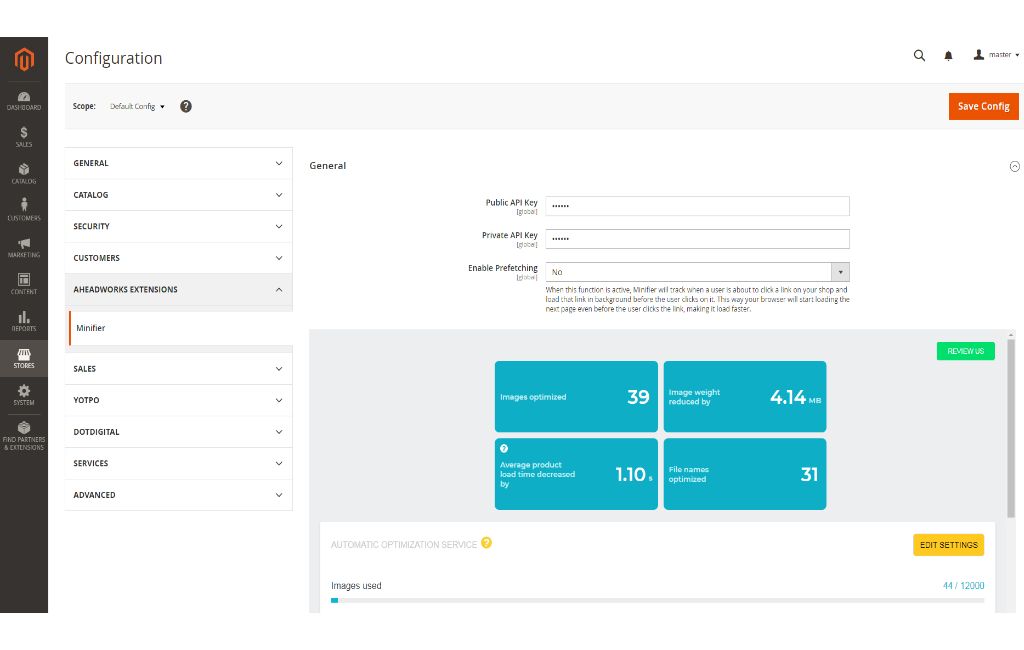
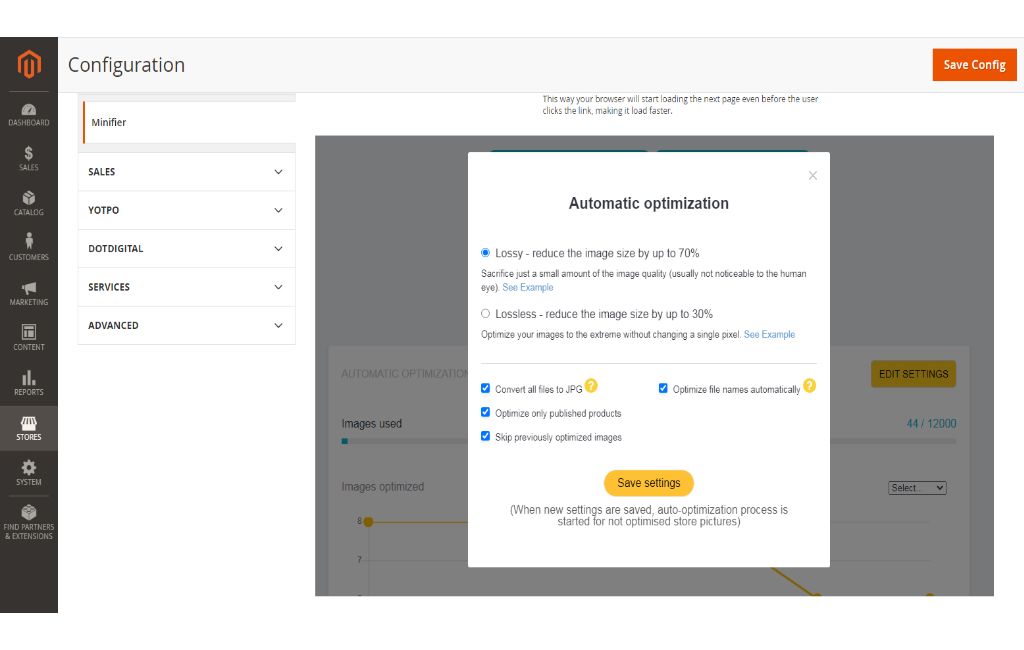
Minifier for Magento 2 is designed to compress graphic elements reducing their size (Mb) thereby boosting site speed with no impact on overall image quality. The image compression can be performed automatically and manually. Automatic optimization is activated regularly with the support of Cron running. In case Admin wants to control the process and start optimization at some particular time, he/she can perform it manually. While preparing for the compression procedure, Admin should specify several options: Choose the type of compression - Lossy or Lossless. Select whether or not to convert files to JPG. Tick to compress only published products if needed. Skip previously optimized images, so that Minifier will not touch your compressed images and avoid double charge. Optimize file names automatically to achieve higher search engine rankings.


 Auction Theme: Start your own auction website today. (New 2022) - Download Now!Sponsored
 Inout RealEstate - Map Based Advanced Real Estate PortalSponsored
 Airbnb Clone Script - Buy2RentalSponsored
Automating AWS Server Backups and configuring AWS Backup Cycles and AWS Backup rules
Set up automated backups for AWS servers using AWS Backup and clear backup cycles.
AWS Aurora DB configurations
Set up or tune Amazon Aurora for high performance and high availability workloads.
Analysing your AWS bill and suggesting ways to reduce costs
Deep analysis of your AWS bill with a detailed list of cost saving recommendations.
Management of Shared Storage Using AWS EFS
Setting up and managing a shared disk/folder using AWS EFS so multiple servers can access the same data at the same time
